 Becommerce.es
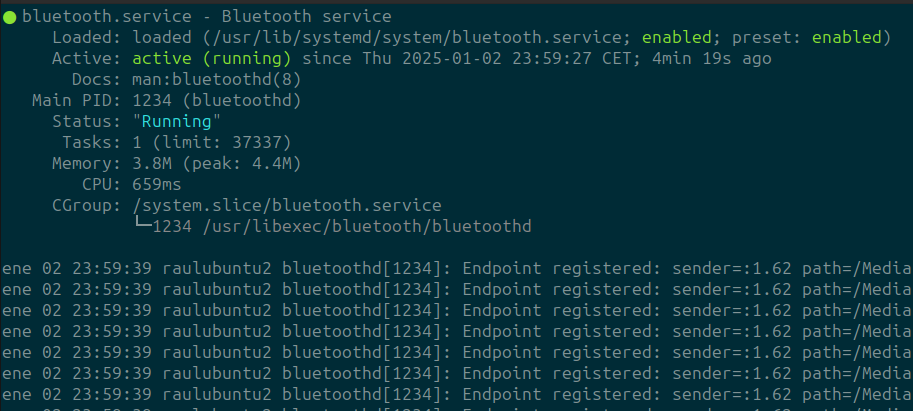
Al iniciar Ubuntu el bluetooth no funciona y el estado del servicio al consultarlo con $ sudo service bluetooth status es este:
○ bluetooth.service - Bluetooth service
Loaded: loaded (/usr/lib/systemd/system/bluetooth.service; disabled; prese>
Active: inactive (dead)
Docs: man:bluetoothd(8)
ESCOC
</p>
Para intentar resolver el problema, habilita y reinicia el servicio de Bluetooth:
sudo systemctl enable bluetooth</p>
sudo systemctl start bluetooth
Si eso no funciona, intenta desenmascararar el servicio:
sudo systemctl unmask bluetooth.service</p>
sudo service bluetooth start
Verifica si hay algún problema con los módulos de Bluetooth:
sudo modprobe btusb</p>
Actualiza e instala los paquetes de Bluetooth
sudo apt update</p>
sudo apt install --reinstall bluez bluez-utils
Reinicia el sistema después de realizar estos cambios. Si el problema persiste, puedes intentar verificar si el Bluetooth está bloqueado por rfkill:
rfkill list</p>
En el caso de desbloqueado verás:
Si aparece como bloqueado, desbloquéalo con:
sudo rfkill unblock bluetooth</p>
Comprueba si tu dispositivo Bluetooth está siendo reconocido:
lsusb | grep Bluetooth</p>
Si estás utilizando un sistema de doble arranque con Windows, asegúrate de que el "Inicio rápido" de Windows esté desactivado, ya que puede interferir con el hardware Bluetooth